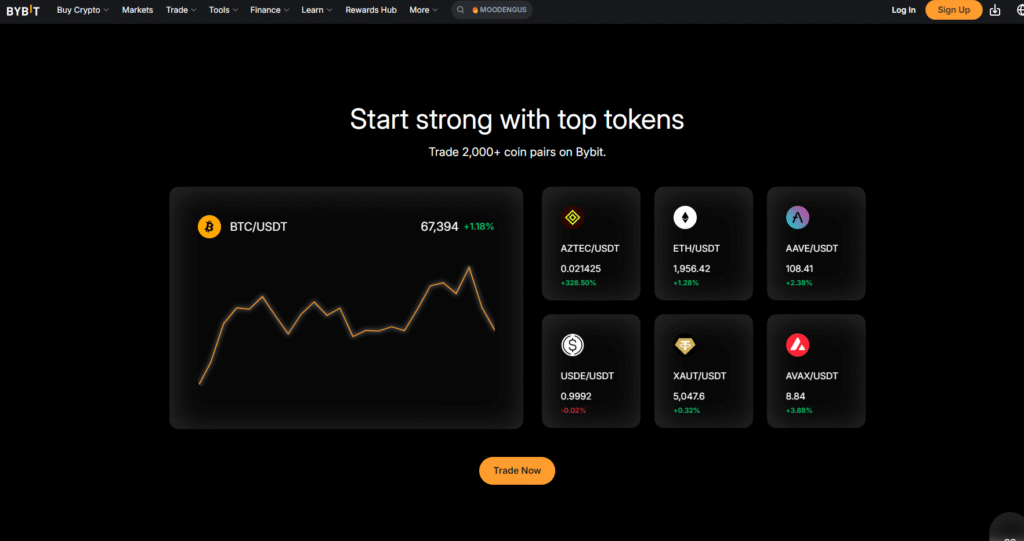
Registering on Bybit is quick, but the important decisions come before and immediately after sign-up. Confirm that Bybit and the intended products are available in your jurisdiction, choose a recovery email you control long term, enter any referral code before account creation, complete the required identity verification and secure withdrawals before depositing.
Before you create an account
- Check Bybit’s current restricted-jurisdiction and product-availability information.
- Use the official website or verified app-store listing, not a link from an unsolicited message.
- Prepare an email address or phone number you expect to keep.
- Use a password manager to create a unique password.
- Prepare an original, valid identity document for KYC if the account requires it.
- Decide whether to enter an affiliate or referral code before completing sign-up.
Bybit’s current registration guide says the country of residence is selected during sign-up and that users may be redirected to a regional site or receive a restriction notice. Do not use a VPN or false information to bypass a restriction.
Registration methods
Bybit currently documents registration with an email address or phone number and, in some contexts, supported third-party sign-in options. Email registration can be easier to recover if you retain secure long-term access to the email account. Each email address or mobile number can be linked only according to the platform’s current account rules.
- Open the official Bybit website from a verified bookmark.
- Select Sign Up and confirm the country or region requested by the site.
- Choose an available registration method and enter the real account details.
- If using a referral or affiliate code, enter it before selecting Sign Up Now.
- Complete the captcha and email or SMS verification.
- Create a unique account password and finish the registration flow.
Bybit’s guide states that a referral or affiliate code cannot normally be added, modified or deleted after the account is created. A code does not guarantee a fixed discount, lifetime benefit or reward. Check the code and any account-specific terms before you submit the form.
Referral code BYBITDC: what to verify
- Confirm the code displayed in the sign-up form is BYBITDC.
- Read the exact fee or campaign terms shown for your account and region.
- Do not assume an affiliate page can promise a universal rate.
- Keep a screenshot of the code and terms if they affect your decision.
- After sign-up, use Bybit’s documented affiliate-code check where available.
For a deeper explanation of code eligibility and variable campaign terms, see our Bybit referral guide.
Identity verification is required for current Bybit services
Bybit’s Individual KYC FAQ states that at least Standard identity verification is mandatory for its products and services, with higher levels potentially required by region or product. The levels and supporting documents displayed in your own account take precedence.
| Level | Typical documented requirement | Possible reason to complete it |
|---|---|---|
| Standard | Identity assessment and proof of identity | Basic product access under current rules |
| Advanced | Proof of address | Products or limits that require additional verification |
| Pro | Enhanced due diligence | Higher-tier or risk-based requirements |
Do not treat a published withdrawal-limit table as a promise that every account receives the same limit. VIP tier, region, risk review, product and account settings can affect the result. Check the current limit in Account & Security.
Prepare acceptable KYC documents
Bybit lists accepted proof-of-identity categories such as passports, identity cards, residence permits and driving licences, subject to country and account rules. The document should be original, valid, clear and fully visible. Screenshots or scanned copies may be rejected where the process requires a photo of the physical document.

- Use the full real name matching the government document.
- Clean the camera lens and use even lighting without glare.
- Show every edge of the document and keep text readable.
- Complete facial recognition yourself; do not use a photo or another person.
- For proof of address, check the allowed document types and recency requirement.
- Do not upload identity documents to an unofficial support contact.
How long KYC can take
Bybit’s FAQ says verification generally takes about 15 minutes but can take up to 48 hours when additional review is needed. That is guidance, not a guaranteed completion time. If the process exceeds the official window or shows an error, use the Support Hub or official case-submission route.
Common KYC failure reasons
- The same identity is already associated with another verified account.
- The face is not centered or facial recognition cannot match the user.
- The document is blurred, overexposed, cropped, expired or incomplete.
- A screenshot or scan is submitted instead of the required original document.
- The document type is not accepted for the country or verification level.
- The user or jurisdiction does not meet current service rules.
Do not repeatedly create new accounts to solve a KYC problem. Bybit’s FAQ says only one account per user can process individual KYC under the stated rule, and identity transfer has a separate process.
Secure the account before depositing
A verified identity does not prevent account takeover. Enable multiple independent controls immediately after registration.

- Unique password: never reuse the email or exchange password elsewhere.
- Passkey or authenticator: prefer an independent factor over SMS alone where available.
- Anti-phishing code: verify it in official Bybit messages.
- Fund password: keep it different from the login password.
- Withdrawal controls: consider address book, whitelist, new-address lock and conservative limits.
- Device review: remove old sessions and untrusted devices.
Read our Bybit security and scam-prevention guide before responding to any message that threatens an account freeze or asks for a transfer.
First-deposit checklist
- I confirmed the asset and network are supported on both sides.
- I copied the deposit address directly from the official Bybit page.
- I included the memo or tag if displayed as required.
- I checked the minimum deposit and confirmation requirements.
- I will send a small test amount first where practical.
- I enabled withdrawal security before holding a larger balance.
For detailed network, memo, internal-transfer and fiat instructions, use our Bybit deposit, withdrawal and transfer guide.
Registration checklist
- Bybit and the intended product are available in my jurisdiction.
- I verified the official domain or app listing.
- I used long-term contact details and a unique password.
- I checked any referral code before account creation.
- I completed KYC with my real information and an accepted document.
- I enabled independent authentication and withdrawal protection.
- I understand that registration, KYC and a referral code do not make trading profitable or risk-free.
Affiliate disclosure: ByDITT may receive compensation if you register through this link. Any code, reward, fee benefit or eligibility depends on current account, region and campaign terms. No fixed rate or lifetime benefit is guaranteed.
Educational information only. Registration methods, KYC documents, limits and regional availability can change. Follow the requirements shown in your own Bybit account and the current official Help Center.