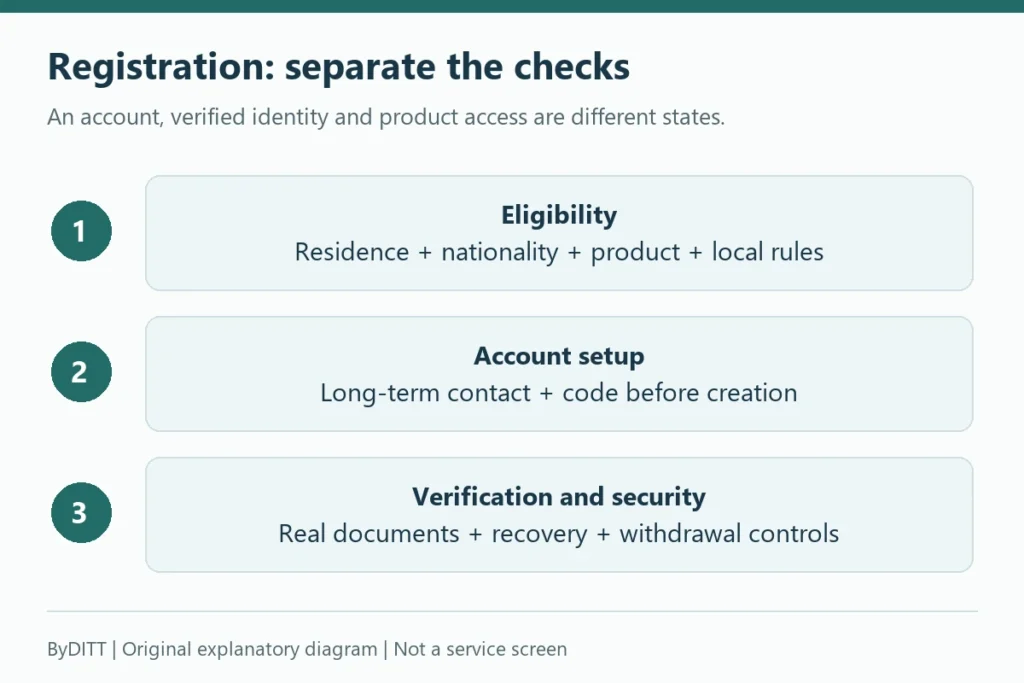
Most Bybit KYC failures are caused by a document, image, identity or account-rule mismatch—not by a need to create another account. This guide explains how to prepare proof of identity and address, fix common rejection reasons, understand review times and contact official support without exposing sensitive documents to impostors.
What Bybit currently requires
Bybit’s current Individual KYC FAQ says at least Standard identity verification is mandatory for its products and services. A higher level may be required by region, product or risk review. The verification page in your own account is the authoritative place to see the level and documents requested.
Creating an account does not establish eligibility for live services involving actual funds. The official Demo Trading guide separately states that identity verification is not required for the simulated demo account. Its practice funds are virtual and cannot be withdrawn. That practice-only exception does not waive verification requirements for services involving actual funds, or any regional or product restrictions. KYC/demo scope checked October 25, 2026.
| Level | Documented category | Typical issue |
|---|---|---|
| Standard | Identity assessment and proof of identity | Unsupported, unclear, expired or mismatched identity document |
| Advanced | Proof of address | Old document, missing full address or name mismatch |
| Pro | Enhanced due diligence | Additional source or compliance information is required |
Do not rely on an old list of restricted countries or fixed withdrawal limits published by an affiliate site. Jurisdiction, product and limit rules can change. Follow the notice and settings shown by Bybit for the account.
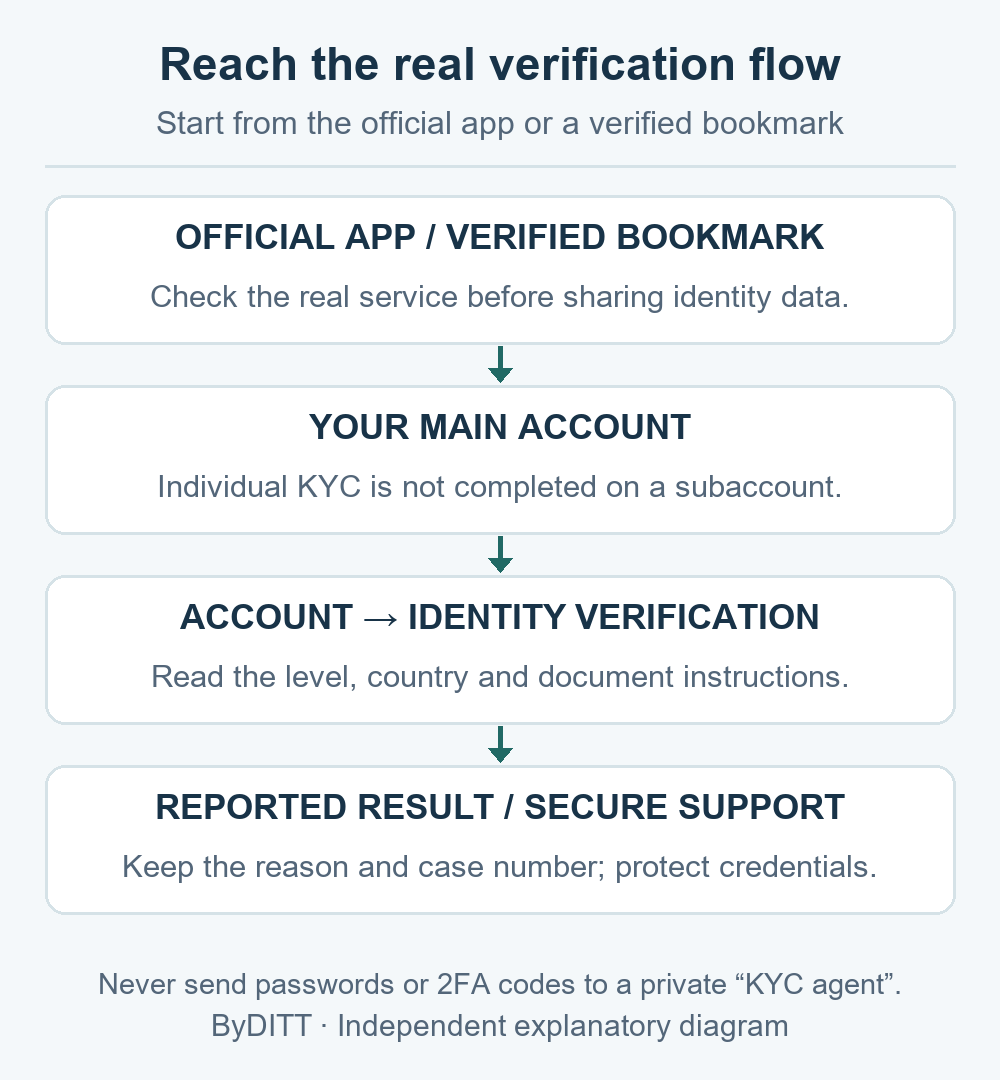
Open the real identity-verification page
Start from the official Bybit app or a verified bookmark, open the account or security area, and select Identity Verification. Avoid identity-upload links delivered by email, Telegram, social media or a search advertisement.
- Verify the domain before entering personal information.
- Check that your country or nationality is selected accurately.
- Use the main account; Bybit’s FAQ says subaccounts do not complete separate KYC.
- Read the document and camera instructions before starting.
- Close remote-access software and do not let another person complete facial recognition.
Proof of identity: document checklist
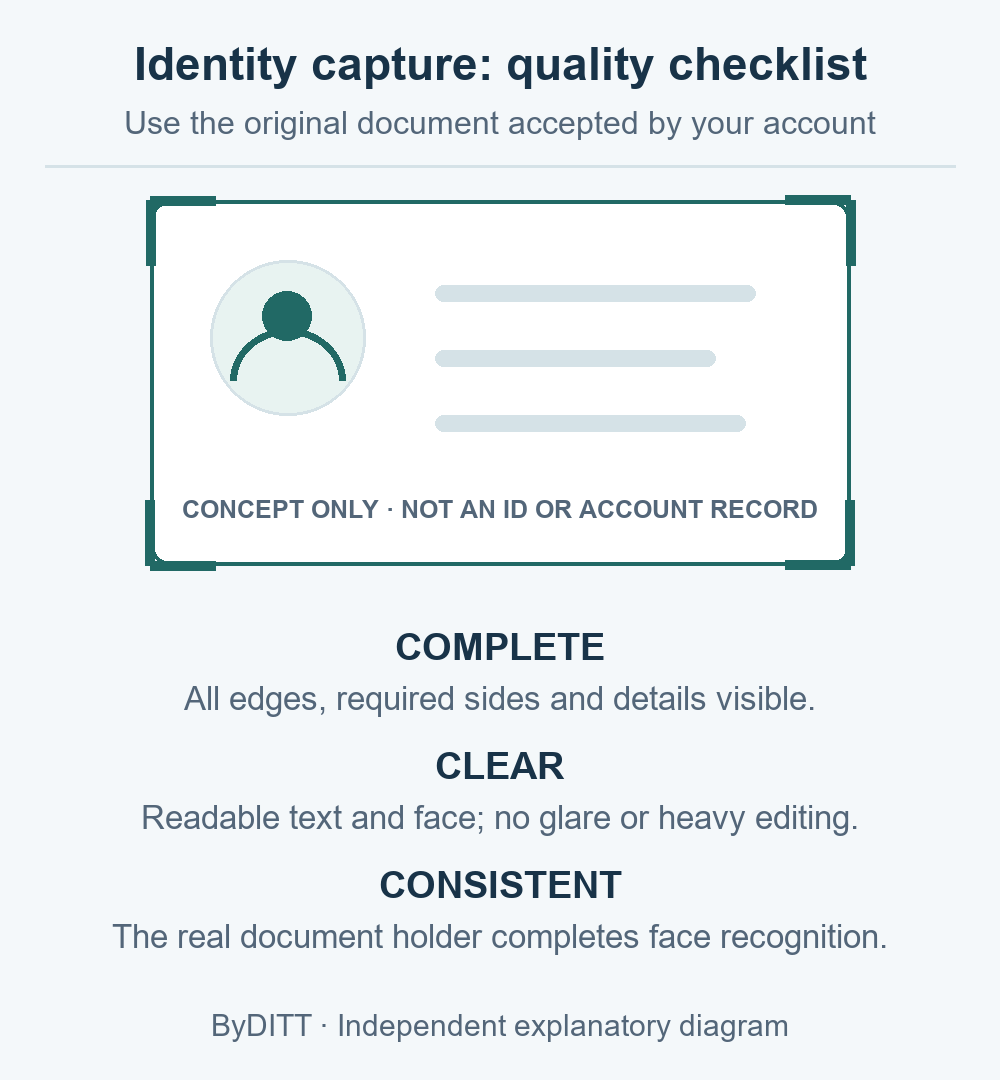
Bybit lists identity-document categories such as a passport, identity card, residence permit or driving licence, subject to country and account requirements. The document needs the information requested by the verification flow, such as photo, name, date of birth, document number and issue details.
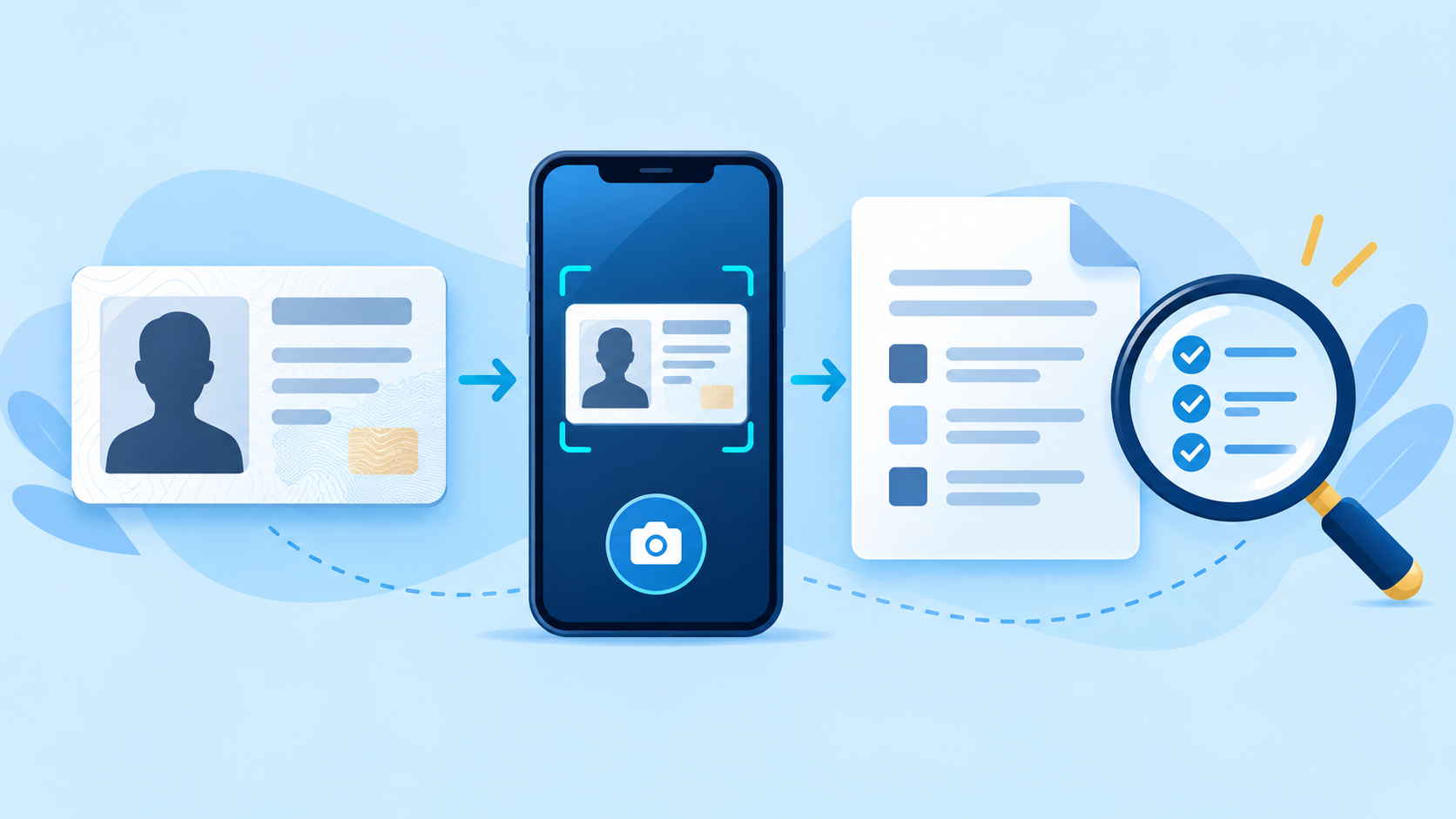
- The document is an accepted type for the selected country.
- It is valid and not expired.
- The full legal name matches the account information.
- All corners and required pages are visible.
- Text, photo and security elements are in focus.
- There is no glare, reflection, obstruction or heavy editing.
- The capture is of the original physical document when required—not a screenshot or scan.
If the interface asks for the front and back, submit both. If it asks for a passport photo page, include the machine-readable zone and do not crop it.
Facial-recognition failure
- Clean the lens and use a modern supported browser or the latest official app.
- Use bright, even front lighting; avoid backlight and deep shadows.
- Center your face and follow movement prompts slowly.
- Remove sunglasses, masks or accessories that obstruct the face unless needed for a documented reason.
- Make sure the person completing the scan is the document holder.
- Disable beauty filters, virtual cameras and screen-recorded inputs.
If repeated attempts fail, stop before triggering additional risk checks. Capture the on-screen error code or message and use official support.
Proof of address: what to check
For Advanced verification, Bybit’s FAQ lists possible proof-of-address categories such as certain identity documents showing a residential address, utility bills, official bank statements, government residence documents, internet or fixed-line bills, tax records and eligible tenancy documents. Except where the accepted proof of identity itself contains the address, the FAQ says proof of address generally must be dated within the last three months.
- Full legal name matches the verified identity.
- Full residential address is visible and matches the submitted address.
- Issue date is inside the allowed period.
- Issuer, logo or official source is clear.
- All pages required to identify the account holder are included.
- The document type is not listed as unacceptable for the account or region.
Mobile-phone statements, medical bills, handwritten receipts and several other documents may not be accepted under the published FAQ. Use the exact accepted list shown in the verification flow.
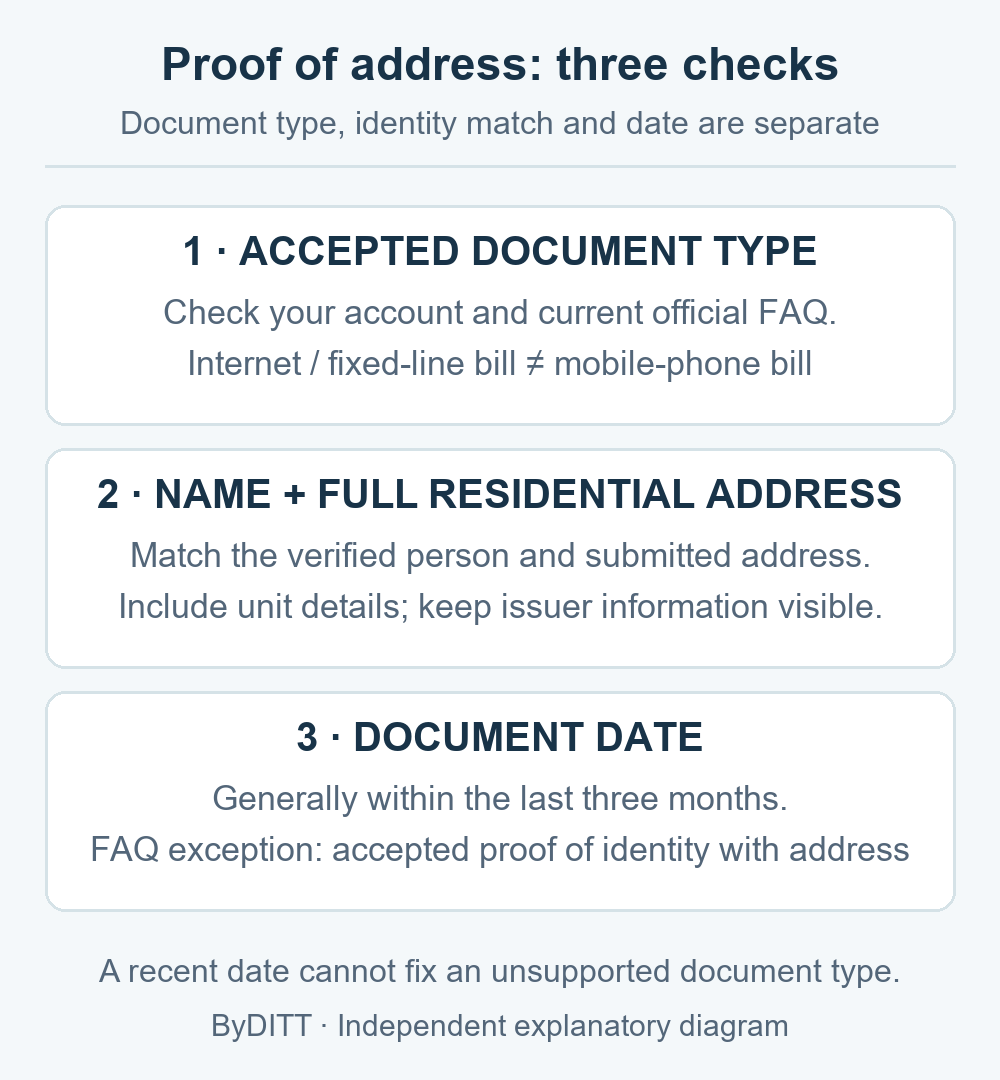
An internet or fixed-line bill is not the same document category as a mobile-phone statement. A recent date alone does not make an unsupported document acceptable. There is also an official-document discrepancy: the FAQ updated on 2026-08-20 lists certain leases longer than six months, while the failure guide updated on 2025-11-25 lists tenancy agreements as unacceptable. Do not assume that any lease will be accepted; ask official support about your account’s exact requirements if the instructions conflict.
Name, address and transliteration mismatches
- Enter the legal name in the order and script requested by the form.
- Do not use a nickname, abbreviated surname or a translated name not shown on the document.
- Check spaces, hyphens, middle names and date format.
- For proof of address, ensure apartment or unit information is not missing.
- If the account displays an incorrect KYC name after verification, use Bybit’s documented update process rather than submitting false data.
Duplicate-account or “identity already used” error
Bybit’s FAQ says one account per user can process individual KYC under the current rule. If the identity is already linked, creating more accounts usually makes the problem harder. Find the original account, use official account-recovery options, or follow Bybit’s identity-transfer process if eligible.
- Search your email for older official Bybit registration messages.
- Check password-manager records and saved account UIDs.
- Recover the original email or phone access where possible.
- Do not buy or borrow another person’s verified account.
- Contact official support with the error details; do not send full identity documents to an unverified agent.
How long verification can take
Bybit’s FAQ says KYC generally takes about 15 minutes but can take up to 48 hours because of verification complexity. This is an estimate, not a service guarantee. During review:
- Do not submit conflicting details from another account.
- Monitor the status in the official verification page and your registered email.
- Check spam for a request for additional information, but verify every link.
- Preserve the submission time and any case number.
- If the published review window has passed, submit a case through the official Support Hub.
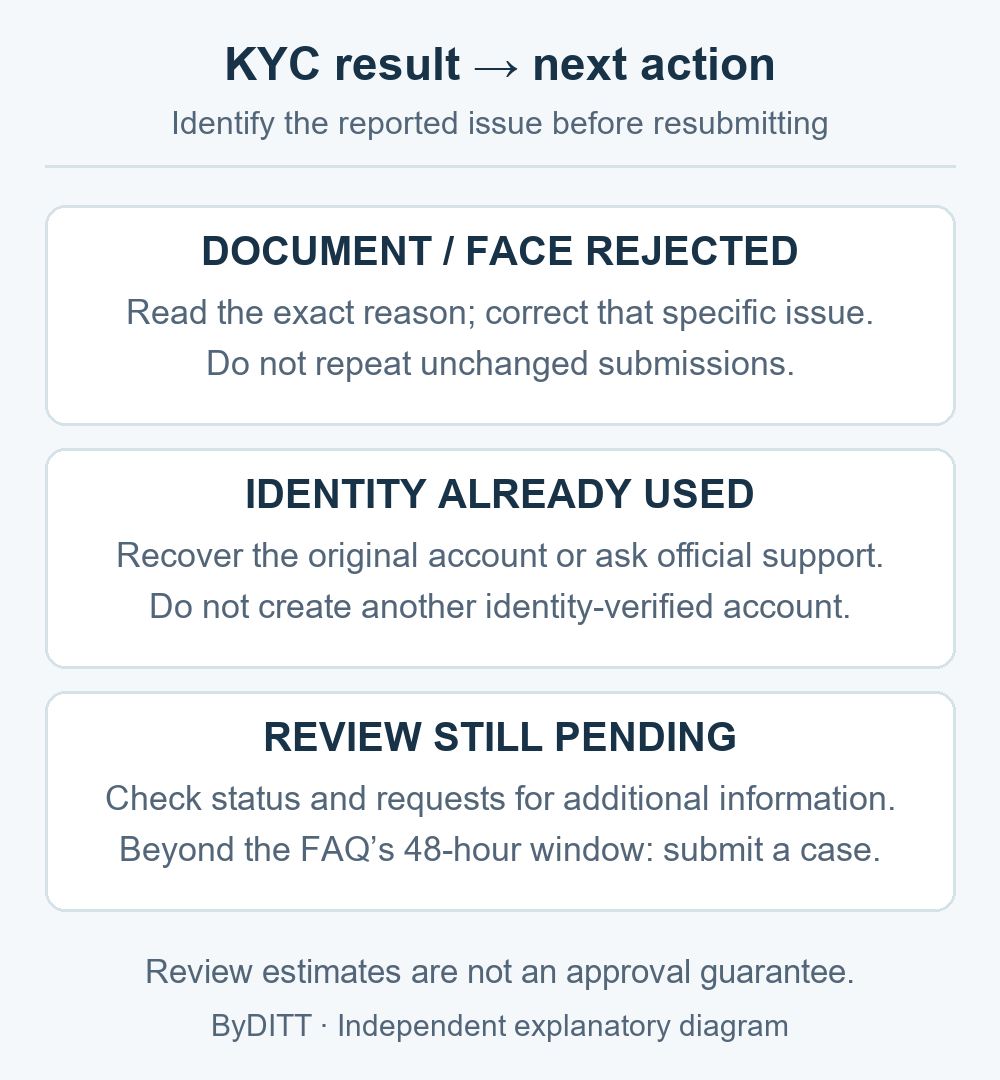
Error-to-action table
| Problem | First correction | When to escalate |
|---|---|---|
| Document not detected | Retake the original document with full edges, focus and even light | An accepted valid document is repeatedly rejected |
| Face not recognized | Improve lighting, camera quality and framing | Repeated attempts fail with the same error |
| Name mismatch | Match the complete legal name and order | The verified profile itself contains an error |
| Proof of address rejected | Use an accepted recent document with full name and address | The displayed requirements conflict with the document type |
| Identity already used | Recover the original account or identity-transfer route | You cannot identify or access the original account |
| Review exceeds expected time | Check status and email for requests | The official review window has passed |
Contact support safely
- Open the Support Hub from the official Bybit website or app.
- Include the account UID, case number, error text and submission timestamp where requested.
- Redact sensitive information from general screenshots unless the secure form specifically requires it.
- Never disclose a password, 2FA code, fund password, API secret or wallet recovery phrase.
- Do not pay a private “KYC agent” who promises guaranteed approval.
- Verify support emails with your anti-phishing code and the Bybit Authenticity Checker.
For the registration sequence and account-security setup, read our Bybit registration checklist. For withdrawal and network checks after approval, use the Bybit transfer guide.
Before contacting support, record the exact rejection reason, whether the status is rejected or still under review, the submission time and any case number. Those states require different actions; repeated unchanged submissions do not resolve an identity-already-used error. Send sensitive documents only through the verified secure channel requested by official support, never in public comments or private-agent chats.
Final resubmission checklist
- The account, country and identity information are truthful and consistent.
- The document type is currently accepted.
- The document is valid, original, complete, clear and unedited.
- My face is visible in even light and matches the document holder.
- Proof of address contains my full name, address and an allowed date.
- I am not trying to verify a second account with the same identity.
- I will use only official support if the correction still fails.
Affiliate disclosure: ByDITT may receive compensation if you register through this link. An affiliate code does not influence KYC approval, override jurisdiction rules or guarantee account access, rewards or fee terms.
Educational information only. Identity requirements, accepted documents and review procedures can change. Follow the current instructions displayed in your own Bybit account and official Help Center.
Official sources and verification date
Official information checked: 2026-10-09. Document update dates are not approval guarantees. ByDITT is an independent educational and affiliate site, not Bybit.com; KYC does not remove market, custody or regulatory risks.