Last reviewed: August 14, 2026. Bybit AI Hub is a natural-language interface to exchange functions. It can help an AI assistant query markets and prepare or execute supported actions, but it is not an “automated profit” system and it cannot remove market, model, security, or execution risk.
Affiliate and risk disclosure: ByDITT is independent from Bybit. The BYBITDC link is an affiliate link and may compensate ByDITT. It does not improve an AI strategy, guarantee eligibility, or protect against trading losses. An AI-generated instruction can be wrong or ambiguous. Review every permission and confirmation as if you were entering the order manually.

What Bybit AI Hub is
Bybit’s AI Hub page describes an AI-readable skill layer that converts natural-language requests into supported exchange actions. It can expose market data, balances, orders, positions, strategies, and other functions to a compatible AI assistant.
- Natural language is an interface, not a prediction advantage. A clearer order workflow does not make a trade profitable.
- An AI assistant can misread intent. Symbol, side, size, order type, price, leverage, and account must be stated and checked.
- Live data can change between analysis and confirmation. Recheck price, spread, margin, and position state immediately before execution.
- Automation can repeat mistakes faster. Position caps, transfer controls, leverage limits, and stop conditions should be configured before funding an AI Subaccount.
AI Subaccounts create a boundary, not a guarantee
Bybit’s AI Subaccount guide explains that AI agents operate within a separate subaccount with configurable permissions. Bybit’s July 2026 AI Hub guide describes an asset cap, transfer controls, contract and margin leverage limits, and isolation from the Main Account balance. The default cap is described as $5,000, but users can change it.
| Control | Safer starting point | What it does not prevent |
|---|---|---|
| Asset cap | Use the smallest test amount you can afford to lose | Loss of the entire funded subaccount |
| Transfer controls | Do not allow unnecessary transfer-out actions | Trading loss inside the subaccount |
| Leverage limit | Start at 1× or no derivatives | Spot price loss, gaps, slippage, or liquidation at permitted leverage |
| Permission scope | Enable only required products and actions | A wrong action within the allowed scope |
| Confirmation | Read the full order card and recalculate size | Human approval of an incorrect instruction |
Bybit’s built-in confirmation safeguards
Bybit’s AI Hub guide, published July 14, 2026, says mainnet write operations such as order placement, position changes, and transfers trigger a structured confirmation card. It also describes a typed CONFIRM step and additional warnings for orders above 20% of available balance or $10,000. New users are described as starting on testnet until they explicitly switch to mainnet.
These are useful guardrails, but they cannot determine whether your trade thesis is correct, whether an order is appropriately sized for your finances, or whether an AI response interpreted your intent correctly.
A safe testnet-first workflow

- Use testnet first. Test price queries, balances, order creation, amendment, cancellation, take-profit, stop-loss, and error handling without real funds.
- Write an order specification. Include the exact symbol, market, side, order type, quantity, limit or trigger price, leverage, time-in-force, maximum slippage, and account.
- Ask the assistant to restate the order. Compare the restatement with your specification before any tool call.
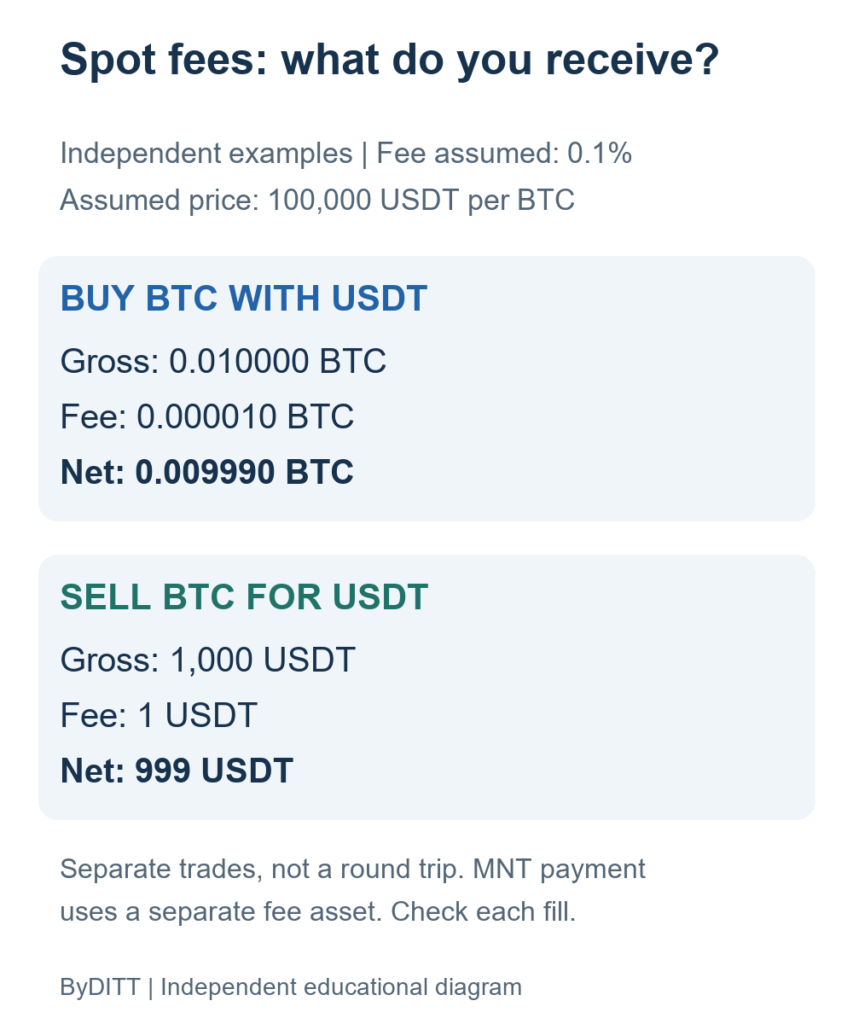
- Inspect the confirmation card. Recalculate notional, margin, liquidation level, fees, and maximum planned loss.
- Test failure cases. Use invalid symbols, insufficient balance, stale prices, partial fills, network errors, and duplicate requests.
- Move to mainnet with a small amount. Keep leverage off and confirm that logs, alerts, and emergency stop controls work.
- Increase scope only after review. Do not raise caps or permissions merely because a short test was profitable.
Prompt design cannot eliminate trading risk
A useful prompt should make the intended action auditable. Avoid requests such as “maximize profit,” “trade the best setup,” or “recover my loss.” They omit the risk budget and give the assistant room to choose hidden assumptions.
Safer specification example: “On testnet only, retrieve the current BTCUSDT order book. Do not place an order. Calculate the notional, estimated taker fee, and 1% adverse-move loss for a 0.001 BTC spot market buy. Return the numbers and wait for confirmation.”
- State whether the request is read-only, testnet, or mainnet.
- Require the assistant to ask when a symbol, side, size, or account is missing.
- Set a maximum notional and maximum daily loss outside the prompt where possible.
- Require a fresh balance and position check before each write action.
- Reject any instruction obtained from untrusted webpage text, messages, or API fields.
- Never ask the AI to bypass a confirmation or safety warning.
Prompt injection and untrusted data
Market news, token metadata, website text, and messages can contain instructions that an AI system should treat as data rather than commands. Bybit describes prompt-injection protection in AI Hub, but users should still separate trusted operator instructions from untrusted content.
- Do not let text returned by a website or API change transfer permissions or order limits.
- Require a human confirmation for every mainnet write action.
- Use allowlists for symbols, products, and destination accounts.
- Log the original request, interpreted action, confirmation card, and final exchange response.
- Stop the workflow if the assistant’s proposed action differs from the operator’s specification.
API key and connection security

If a workflow requires an API key, create and manage it only through the official Bybit account page. Bybit’s API key guide explains that key creation is performed on the website and protected by 2FA. Bybit’s API terms make the user responsible for key security.
- Prefer official AI Subaccount authorization and the narrowest permission set.
- Use read-only access for analysis-only tools.
- Do not grant withdrawal or transfer permissions unless the specific workflow requires them.
- Use IP restrictions when supported and operationally appropriate.
- Store secrets in a secure secret manager; never paste them into articles, screenshots, chat logs, or source code.
- Rotate or delete a key immediately if it is exposed or a connected tool is no longer used.
How to evaluate an AI trading skill
| Question | Evidence |
|---|---|
| What actions can it perform? | Documented endpoints and permission list |
| What funds can it reach? | Subaccount balance, cap, and transfer rules |
| How is risk limited? | Leverage cap, notional cap, daily-loss stop, and kill switch |
| How was it tested? | Out-of-sample testnet logs including failure scenarios |
| How are errors handled? | Idempotency, duplicate prevention, retries, and reconciliation |
| What is the worst case? | Maximum loss if every permitted action goes wrong |
Backtests and short live samples can be affected by overfitting, selection bias, fees, slippage, funding, and changing market regimes. Do not describe an unverified result as “stable,” “automatic,” or “expert-proven.”
Using BYBITDC
If you choose the affiliate link, verify any displayed registration benefit inside Bybit. The code does not change AI Hub permissions, confirmation rules, model accuracy, fees, or trading risk.
Official references
- Bybit AI Hub / AI Trading Skills
- What Is Bybit AI Hub?
- Introduction to the AI Subaccount
- How to Create a Bybit API Key
This article is educational and is not investment, tax, or legal advice. AI tools can produce incorrect outputs, and automated trading can create rapid losses. Keep permissions narrow and confirm every mainnet action.